
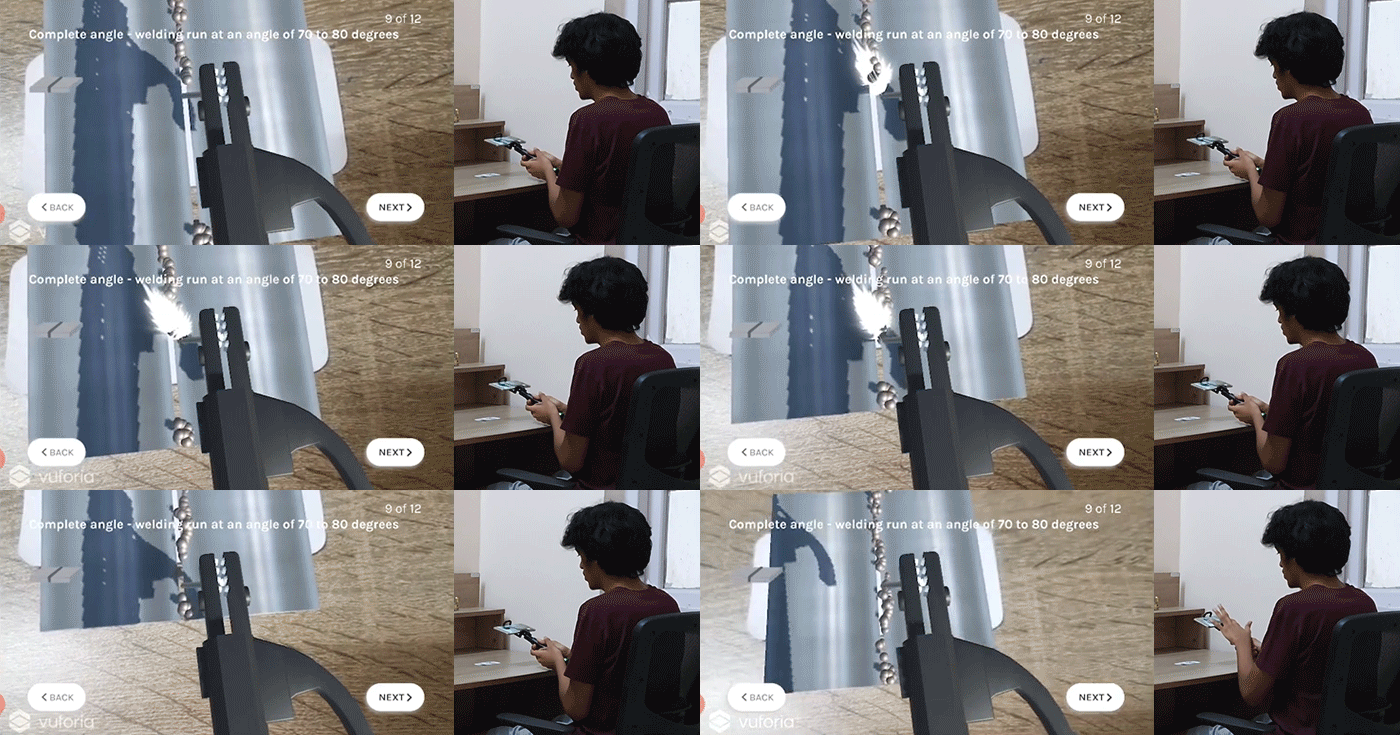
Augmented Reality Application in Vocational Education: A Case of Welding Training
Introduction
There are 36 million unemployed youth in India. One of the reasons for unemployment among youth is the significant disconnect between the school education and the opportunities, skills, and exposure necessary to achieve full potential and earn livelihood. To overcome the gap between school education and employment opportunities, various NGOs have taken up the initiatives to offer vocational training to secondary school students.
For this project, I connected with an NGO that provides critical technical and program management support to the state government departments and agencies to offer vocational education as part of the mainstream education specifically for 9th and 10th standard. The course running under this project is called Multiple-Skill Foundation Course which offers four subjects - Home & Health, Energy & Environment, Engineering, and Gardening & Landscaping.
Field Research Findings
1. Lack of Space
2. Infrastructure & Regulatory Limitations
3. Safety Concerns
Schools were able to provide LAHI with only 1 or 2 classrooms to create and run the workshop courses.
Bringing gas cylinders, creating a water tanker in government schools was not always possible.
Practicals like Welding, Blood Group Identification were not considered safe for students to perform.
.jpg)

.jpg)
.jpg)
.jpg)
.jpg)
Hashu Advani School, Mumbai (top) and Mangalwar peth School, Pune (bottom)
.jpg)
Welding, Cementing,
Cooking
.jpg)
Welding, Carpentry, Blood Group Testing
Background
Augmented Reality (AR) can be defined as a technology which overlays virtual objects (augmented objects) into the real world (Azuma et al., 2001). AR has been well-explored in the context of education (Akçayir and Akçayir, 2017) and allows means of representation and engaging students in learning (Meyer et al., 2014). AR allows self-learning (Akçayir and Akçayir, 2017) and increases confidence of students. AR allows combination of real objects with virtual objects through superimposition (Azuma et al., 2011). Augmented information can be applied to multiple senses – sight, hearing, touch (Azuma et al., 2001). An effective use of multimedia and haptic technology has been observed in vocational education in rural India (Bhavani et al. 2010).
Converging on Technology
A mobile AR application was considered most appropriate for the context as it was inexpensive, portable and accessible, which was most suitable for government school students.

Converging on Topic
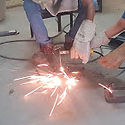
On performing the practicals and reading the chapters in the textbook, the following practicals were considered to create AR learning modules. The needs and possibilities were weighed to converge to a final activity. Based on the analysis, the welding joint activity was considered to be the most needful of an intervention in new technology and had the greatest possibilities using different aspects of AR.
.jpg)
1. Welding Joint
- Safety
- Space
- Resources
- Instructions
- Spatial
- Contextually Impossible scenarios depiction
.jpg)
2. Soil Testing
- Space
- Resources
- Instructions
- Spatial
- Contextually Impossible scenarios depiction
.jpg)
3. Pipe Fitting
- Space
- Instructions
- Spatial
.jpg)
4. Cementing
- Space
- Resources
- Instructions
- Spatial
5. Blood Group Testing
- Safety
- Resources
- Instructions
- Contextually Impossible scenarios depiction
Design Brief
Based on the background study and literature review, the final design brief was defined -
To create a learning module on welding, using AR on smartphones, which would serve as an intermediary learning step between the textbook chapter on welding in the Multiple-Skill Foundation Course in government schools and the welding internship/job on completion of schooling.
Additionally, the learning experience would be safe, sustainable (minimal resources used), utilize the spatial nature of the activity, provide feedback and, stimulate experiences that cannot be achieved in real space in the context.
Data Collection
Primary research consisted of observing welding instruction sessions by the welding experts, performing hands on welding as per the practical modules in the textbook and, reading and studying the chapter on welding in the Multiple-Skill Foundation Course textbook
Secondary research consisted of analyzing existing products, looking at alternative welding tutorials and content put up by welding bloggers.
Ideation
The primary and secondary research helped get in-depth knowledge of the topic from different perspectives. The task was to put together the different aspects involved in welding from the theory and procedure to the more physical aspects of it like the tactile experience, the auditory and, visual cues. A consolidation of all these different perspectives needed to be created to achieve a wholesome welding learning module. Ideation included brainstorming different possibilities in AR for the different parts of the welding module.

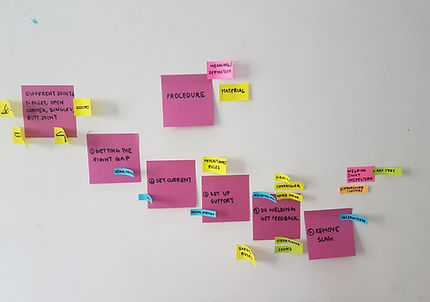
Ideation - Brainstorming using Post-its
Storyboard
A storyboard was created based on discussion and analysis of brainstorming for the task of welding a butt joint as mentioned in the textbook. The storyboard was divided into four activities based on a logical sequence of the learning module.
.jpg)
Concepts
Concepts were generated along the different possibilities of using the mobile phone in the context of the classroom practical.
.jpg)
.jpg)
Concepts - 1. Using a phone with stationary marker on the table (left), 2. Using a phone with movable marker stuck to equipment (right)
Physical Prototype
Activity 3 was chosen to be designed and developed first as it involved the skill of welding. This was done using concept 1 as concept 2 would not allow standardisation of the application across schools with equipment of different dimensions. Activity 3 was developed further to include the five basic welding joints in the same module. This would enable the student to practice with the different joints.
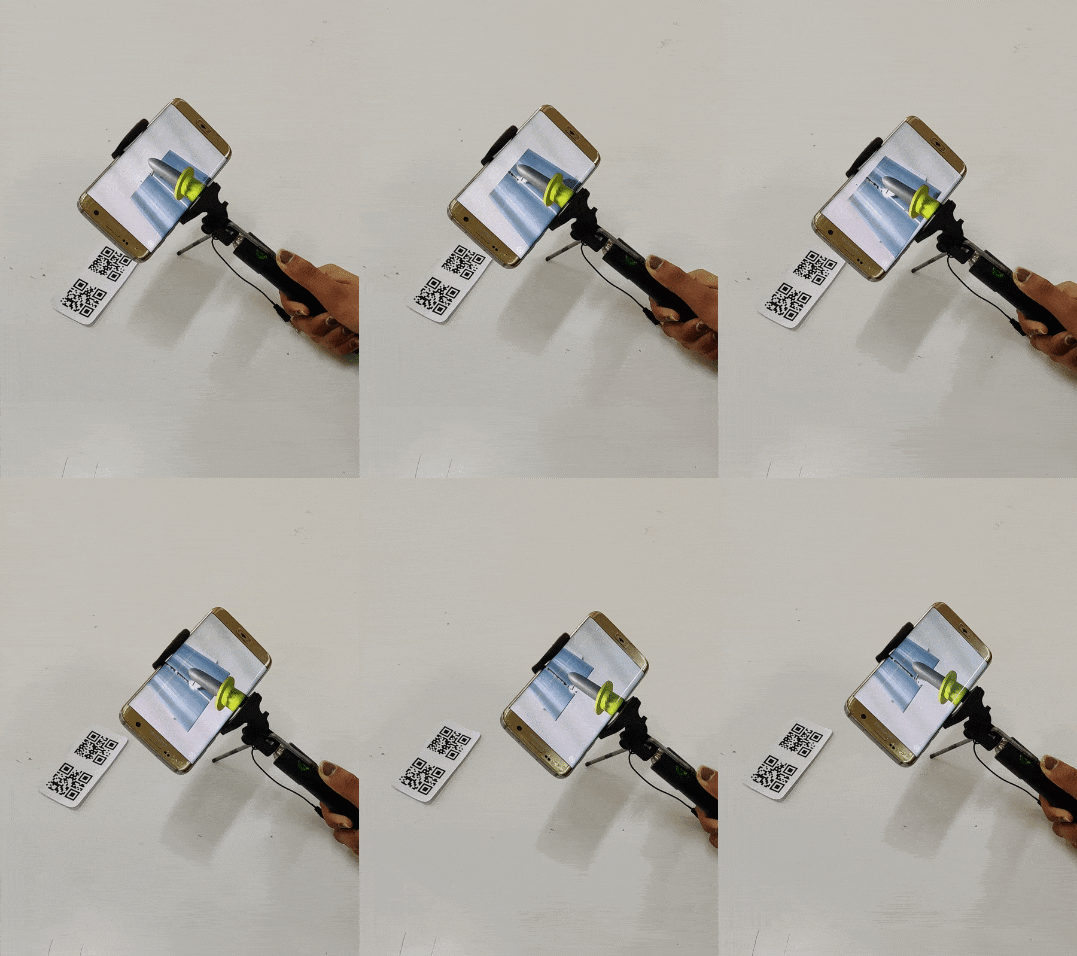
First Prototype
Design and Development
The rest of the learning module was designed and developed. A script was written to define the sequence of activities involved in welding. Application navigation and visual language was designed. The final welding module was developed in Unity. The design process was done in an iterative manner by taking feedback from users and incorporating it to improve the usability of the application.
3D Models
I was also able to find appropriate 3D models of the crocodile electrode holder and the arc welding machine (as used in the schools). I brought them into unity and applied appropriate materials to incorporate them as a part of the final product.


Information Architecture
I worked on detailing out a script for the flow and exact content of the learning module. The information Architecture of the learning module would be linear as mentioned in the script. However, as the final product would be an app, a possibility of other information on the home screen was also considered. Information which was not covered in the linear flow of the learning module such as the safety instructions could be included on the home screen. An option to practice welding such that one did not have to go through the procedure was also considered.

Wireframing
Next, I created wireframes on paper and then moved on to Adobe XD


Visual Design
Typography
The following font pair was used,
Rubik & Karla
Colors
#4D4D4D
#7D7D7D
#FFFFFF
Icons


Illustrations

Buttons

Pop-ups

Usability Testing
For testing the app in its preliminary version, I asked my family members to try out the app and observed them. I also sent out the apk file to my friends and my guide. This process of taking feedback was done over two weeks in an iterative manner such that I could keep improving on my app.


Reducing the scale of the 3D models such that they can be viewed easily in the mobile screen


Trying out alternate layouts to improve usability
Final Outcome
The final product is a mobile application which uses marker-based AR which can be used on an Android phone. An image of the marker needs to be present to use the application. A selfie stick would also enable more appropriate practice for welding. This marker would be printed in the Multiple-Skill Foundation Course textbooks such that students can practise it at school with the guidance of the welding instructor and at home by themselves.
The AR welding application can be installed on any android phone using the following link:
AR Arc Welding Application
The marker can be downloaded using the following link such that it can be viewed on another device or printed:
User Journey
The user flow for the final application,
Practice Mode
Improvement in skills on using the app multiple times in the practice mode,
Evaluation
Four welding instructors were recruited for the expert evaluation. These four welding instructors had different backgrounds.
Method
An ‘apk’ file with instructions to use the AR application was sent out. Screenshots and their evaluation of the application was collected through online forms and telephone interviews.


Screenshots of usability testing by experts
Feedback
The experts mentioned that stability of the hand was achieved approximately after the 3rd attempt. They believed practicing multiple times on the application helped develop the stability of the hand required for welding. They agreed that stability of the phone would be possible with the use of the selfie stick itself.
They highlighted that children in schools have a certain fear of the arc generated during welding because of which they refrain from trying real welding. They felt that seeing the arc (spark) generated while AR welding on the phone was not intimidating, and can help students overcome the fear of the arc in real life too.
They found the instructions to be very clear, the use of 3D models to explain the different steps helpful and, the flow very engaging and good for children especially suitable for beginners. The experts found the AR experience to teach welding much more useful than the existing alternatives available online.
The suggested developing the application in regional languages.
Conclusion and Future Possibilities
A potential of using AR in vocational training was explored, by creating a learning module like this which would serve as an intermediary learning step between the textbook and the real practical sessions. Similar vocational training applications can be created using AR, which would act as an intermediate, safer and sustainable mode of skill development. A collection of AR learning modules could also be created by the NGO for the other vocational training activities mentioned in Section 1, like plumbing, cementing etc. to create a safer introduction to practical sessions and a greater interest in children by exploring interactions using mobile AR.
Publication
Richa Agrawal and Jayesh Pillai. 2020. Augmented Reality Application in Vocational Education: A Case of Welding Training. In Proceedings of 2020 ACM Interactive Surfaces and Spaces (ISS’20), November 8-11, Lisbon, Portugal, 4 pages. https://doi.org/10.1145/3380867.3426199